Why OpenAI Needs a Browser| Ben Goodger on Building ChatGPT Atlas for AGI and How You Can Use It Now
Why OpenAI Needs a Browser| Ben Goodger on Building ChatGPT Atlas for AGI and How You Can Use It Now
Summary
Ben Goodger, Head of Engineering for ChatGPT Atlas at OpenAI, discusses his unique perspective on building AI browsers, having previously worked on Firefox and Google Chrome. He explains how integrating AI directly into the browser lowers friction for users, making them more curious and encouraging more questions. The browser becomes a natural environment for AI assistance because it is where users already spend most of their digital time.
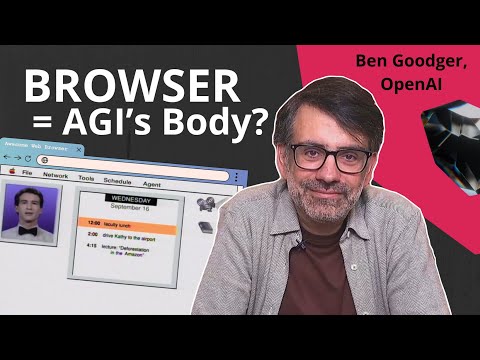
Goodger frames the strategic importance of the browser for OpenAI’s mission: “a brain needs a body to operate in.” He views AGI as something that can take action on behalf of users, and the browser is the environment where that can happen. The browser serves as a stepping stone to AI orchestrating more of computing for users, positioning OpenAI for the future of agentic computing.
The conversation covers practical aspects of building Atlas, including how they approach security through the “lethal trifecta” of private data, untrusted content, and external communication. Goodger emphasizes transparency and user control, with features like opt-in agent mode, the ability to run signed out, and a literal red stop button. He compares the current moment to “Netscape 1.0” for this new era of AI browsers, expressing excitement about the massive advancement expected over the next year.
Highlights
”It’s made me more curious”
Clip command
yt-dlp --download-sections "*1:46-2:40" "https://www.youtube.com/watch?v=Oko9NFHGw3k" --force-keyframes-at-cuts --merge-output-format mp4 -o "Oko9NFHGw3k-1m46s.mp4"“When I’ve used Atlas, I have found it’s made me more curious. I find myself asking more questions even things that I wouldn’t have before because I think in the previous era when search was primary I would have to think for some time on what the search query that I want to run would be.” — Ben Goodger, 1:46
”A brain needs a body to operate in”
Clip command
yt-dlp --download-sections "*14:13-15:05" "https://www.youtube.com/watch?v=Oko9NFHGw3k" --force-keyframes-at-cuts --merge-output-format mp4 -o "Oko9NFHGw3k-14m13s.mp4"“A brain needs a body to operate in and so I think AGI is something that can take action for you. The browser itself is environment where that can happen. That’s why I’m so excited about the browser. I think the browser is a stepping stone to AI being able to orchestrate more of computing for you.” — Ben Goodger, 14:13
”This is like a Netscape 1.0 moment”
Clip command
yt-dlp --download-sections "*15:44-16:35" "https://www.youtube.com/watch?v=Oko9NFHGw3k" --force-keyframes-at-cuts --merge-output-format mp4 -o "Oko9NFHGw3k-15m44s.mp4"“If I use an archaic analogy, I could say this is like a Netscape 1.0 moment for this new era of the web. So I’m super excited to see how it plays out over the next few years.” — Ben Goodger, 15:49
”Big red stop button”
Clip command
yt-dlp --download-sections "*10:19-11:10" "https://www.youtube.com/watch?v=Oko9NFHGw3k" --force-keyframes-at-cuts --merge-output-format mp4 -o "Oko9NFHGw3k-10m19s.mp4"“While it is running, there is a little bar at the bottom of the screen with a big red stop button. If you’ve ever been in a machine shop and there’s like a machine that spins or cuts or something like that, there’s always that big red stop button that you can hit.” — Ben Goodger, 10:36
”Web accessibility helps agents too”
Clip command
yt-dlp --download-sections "*5:42-6:35" "https://www.youtube.com/watch?v=Oko9NFHGw3k" --force-keyframes-at-cuts --merge-output-format mp4 -o "Oko9NFHGw3k-5m42s.mp4"“What we’re telling folks right now is just making your site more accessible is actually the best thing. The tools and technologies that you would use web accessibility to make your site more accessible for example to a screen reader actually helps make it more accessible to an agent.” — Ben Goodger, 5:42
Key Points
- AI browsers lower friction for curiosity (1:21) - Integrating AI directly into the browser makes it easier to ask questions without having to craft search queries or think about where to find information
- Using Atlas increases curiosity (1:46) - Ben finds himself asking more questions than before because the AI removes barriers that existed with traditional search
- Agents beginning to take action (3:01) - We’re on the cusp of AI agents being able to take action on users’ behalf, which is a major shift from just answering questions
- Human web vs. agentic web split (3:09) - The messy internet that humans navigate differs from what agents need; agents prefer clean, structured data
- Agent mode uses multiple approaches (4:15) - Atlas agent mode can work with DOM code directly or use computer vision to operate without any developer participation
- Web accessibility helps agents (5:42) - Making sites accessible for screen readers also makes them more accessible to AI agents
- Browser as miniature operating system (6:12) - The browser is like an OS within your desktop where most apps run in tabs
- Atlas shipped on Mac, working on Windows/mobile (6:36) - Launched just over a month ago on Mac, now expanding to other platforms
- Users don’t yet understand the new capability (7:14) - Putting ChatGPT at the heart of the browser is net new; even OpenAI is learning from user feedback
- Lethal trifecta for AI agents (8:21) - Private data, untrusted content, and external communication create significant security challenges
- Transparency and control for users first (9:19) - Agent mode is always opt-in, with clear disclosure, choice to run signed out, and a big red stop button
- Sensitive tasks require attendance (10:19) - For tasks like email, you cannot switch away from the tab; the agent stops if you do
- Best use case: fueling curiosity (11:21) - Atlas shines at helping users explore topics, ask questions about what they’re viewing, and do research tasks
- Excellent for commerce and shopping (12:04) - Finding coupon codes, better prices, and comparison shopping are strong use cases
- Agent mode automates drudgery (12:20) - Can create Google Forms, handle repetitive clicking tasks with relatively little effort
- AGI needs a body (14:15) - Researchers build the brain, but AGI needs an environment to take action; the browser is that body
- This is a Netscape 1.0 moment (15:49) - We’re at the earliest stages of this new era of AI-powered web
- Long-term vision: task management console for your life (15:19) - The product should help users self-actualize and bring concrete actions
- Building trust through watching (17:19) - Like teaching a child to ride a bike, users need to watch the agent before trusting it with sensitive tasks
- AI is next step in making technology accessible (24:14) - After drag-and-drop and the web, AI allows people to convey what they want to machines in their own terms
Mentions
Companies
- OpenAI (0:23) - Where Ben Goodger works as Head of Engineering for ChatGPT Atlas
- Netscape (15:52) - Referenced as comparison point for current AI browser moment (Netscape 1.0)
- Google (0:32) - Ben previously helped build Google Chrome
- Mozilla/Firefox (0:27) - Ben’s first browser project was early Firefox
- Perplexity (13:24) - Competitor that launched Comet AI browser
- The Browser Company (13:27) - Competitor with Dia AI browser
Products & Technologies
- ChatGPT Atlas (0:35) - OpenAI’s AI-integrated browser that Ben leads engineering for
- Agent Mode (4:15) - Feature in Atlas that can take autonomous actions on web pages
- Connectors (3:54) - API access that developers can expose to ChatGPT for faster, direct data access
- Google Chrome (0:32) - Browser Ben previously helped build
- Google Forms (12:31) - Example of tool that agent mode can automate
- Gemini (13:29) - Google’s AI being integrated into Chrome
- Comet (13:24) - Perplexity’s AI browser
- Dia (13:27) - The Browser Company’s AI browser
People
- Ben Goodger (0:23) - Head of Engineering for ChatGPT Atlas at OpenAI, previously worked on Firefox and Chrome
- Simon Willison (8:33) - Referenced for his blog post about the “lethal trifecta” for AI agents
- John Steinbeck (22:45) - Author of East of Eden, Ben’s recent book recommendation
Surprising Quotes
“A brain needs a body to operate in and so I think AGI is something that can take action for you. The browser itself is environment where that can happen.” — 14:13
“When I’ve used Atlas, I have found it’s made me more curious. I find myself asking more questions even things that I wouldn’t have before.” — 1:46
“If I use an archaic analogy, I could say this is like a Netscape 1.0 moment for this new era of the web.” — 15:49
“What we’re telling folks right now is just making your site more accessible is actually the best thing. The tools and technologies that you would use web accessibility to make your site more accessible for example to a screen reader actually helps make it more accessible to an agent.” — 5:42
“Putting ChatGPT at the heart of the browser is a net new capability that people don’t fully understand yet what that means and I think we don’t either.” — 7:14
Transcript
0:00 It’s made me more curious. What we’re telling folks right now is just making your site more accessible is actually the best thing. So I think AGI is something that can take action for you. The browser itself is environment where that can happen. Transparency and control for users first.
0:23 Today on Inference I’m talking to Ben Goodger, someone who helped build three browsers through three different eras: early Firefox, Google Chrome, and now ChatGPT Atlas. And each time basically the web changed direction. Ben was there rewriting the foundations. That’s a lot to carry Ben.
0:43 Well, thanks for that intro. Thanks for inviting me on. Glad to chat with you today. Yeah, it’s pretty incredible journey that the web has been on over all these years. I’m very impressed with how the web has remained extremely relevant even over such a long period of time and it sort of kept up with the times. And it is in fact now powering this latest wave of AI which makes it an extremely exciting place to be building.
1:08 Yeah. And this era of AI browsers are so very new right now. How do you think about what’s changing at the cognitive level for users who now will interact with AI in this browsing flow? Well, I think one of the things that bringing AI assistance directly into the browser helps with is just lowering the friction associated with asking questions of this technology. I think one of the amazing things about this technology is that it is so easy to ask questions in whatever way you want to ask them and it will just come up with a good response for you. And so just making it easier to access that capability is really important.
1:46 When I’ve used Atlas, I have found it’s made me more curious. I find myself asking more questions even things that I wouldn’t have before because I think in the previous era when search was primary I would have to think for some time on what the search query that I want to run would be. And sometimes you know your question doesn’t even fit the mold of a search query, it might just be some piece of information. Then you’d have to think about how do I get this information, where should I go, what should I do with it. And instead with these AI assistants like ChatGPT I can just ask the question and it will give me a response and sometimes it will search and sometimes it will just know. And so just being able to do that from wherever I am on the web is really fun.
2:21 Yeah. I remember the times when people would compete in better, you know, Google search phrasing because the better way you phrase it, the better results you get. It’s a little bit like this with prompting right now, but I totally agree with the question part. It’s just you can ask, you can be a child again. You can ask as many questions as you want.
2:42 Right? I said it’s fun. It’s also extremely helpful, you know, both to help you navigate around the web, helping you find the most effective site to go to, best deal on a product. If you’ve been shopping recently, doing holiday shopping, something I’ve been up to, that’s been super useful. And then just helping keep on top of all the work that you have to do as well. And actually, I think we’re on the cusp of these agents beginning to take action for you on your behalf, which is also really exciting.
3:09 It is very exciting. But also, internet is super super messy, right? And we’re seeing the split between the human web and the agentic web. So humans are used to navigate this messy environment. But agents do not want this. They want clean state. They don’t want soup of all this, you know, ancient code that we live in. So what does the web look like from the agent’s point of view and how do you as an engineer build it for this new agent?
3:38 Yeah, that’s a great question. I think it depends on how the assistant is operating the web. I think there’s a bunch of what we’ve seen with the development of this agentic web are a bunch of different technologies used to get stuff done across websites and we see this in ChatGPT. You see features like connectors which have sort of an API access directly to a service’s content that is very fast and very direct because the developer of the service has exposed that data directly to ChatGPT through that connector API.
4:07 To something that really requires no participation at all from the developer. And so if you think of in ChatGPT Atlas we have agent mode and agent mode uses a variety of tools either to work directly with the site’s DOM code or to work on using sort of computer use vision aspects. And in that latter mode it really can operate without any participation at all from the developer and still get many things right.
4:35 So, I’ve been impressed by updating a spreadsheet with some of, you know, hobby of mine recently was going and extracting a bunch of data from various websites. And I was impressed by how agent mode was able to actually just go and take an image of the site and extract the piece of data without really needing to understand the structure of the site. And so, there’s some trade-offs inherent in all of these approaches. I think the connector approach can move much more quickly because it doesn’t have to shuttle images of pages around.
5:03 But, you know, I think there is a tool that will work. And so really it’s just about us training these models, helping them sort of understand ever-increasing complexity of task, improving their accuracy. And I think people will find over the course of time, over the next few months and especially over the next year, we’ll see massive massive advancement in this technology.
5:18 But do you think we will need to rebuild the internet in a sense to make it easier for agents? I think that there will be some amount of that that occurs. There’s like a lot of interest from developers in making their services available in these new ways that users are exploring their world. And so I think some of that will happen sort of as a byproduct of that and then there’ll be some cases where people want to upgrade their site or make certain things easier.
5:42 What we’re telling folks right now is just making your site more accessible is actually the best thing. The tools and technologies that you would use web accessibility to make your site more accessible for example to a screen reader actually helps make it more accessible to an agent. And that’s just a good thing to do anyway because we have people who are either vision impaired or have no vision who would use a screen reader to use your site. And so I think it’s good just to support that technology anyway. And some of that stuff will make it much easier for agents to operate as well.
6:06 What are the main bottlenecks for you right now building the AI browser? Well, there’s just like a lot that we want to do and so we are trying to do many different things. A browser is, I think of it like a miniature operating system that kind of runs inside of your desktop operating system where a lot of your favorite apps run. They will run in tabs. So there’s a lot of functionality inherent in that and so we started this project at the beginning of this year, been building out a lot of that functionality.
6:36 We shipped the browser on Mac OS just over a month ago. That was a bunch of work. We’re working right now to bring it to Windows and mobile. There’s a lot of that work for us to do. We’re also like digesting a huge amount of feedback that we’ve received from the user community which is really exciting to get that and work through it and add improvements. So the team is, even though we’re working on Windows and mobile and stuff like that, we’re also improving the Mac app on a weekly basis. And so there’s just I think a huge appetite from us to improve the product, to make it available to more people. And as always there’s more work than we can do.
7:06 I wonder about the feedback. What is the main feedback? What is your priority? How did your priorities change on building? Putting ChatGPT at the heart of the browser is a net new capability that people don’t fully understand yet what that means. And I think we don’t either. One of the reasons why we’re so excited to get feedback is we hope to learn from folks as they use it. We certainly have some use cases ourselves that we like. We want to hear from the user community as well when they discover things that work really well for them.
7:33 But I think probably for a huge number of people just thinking what question to ask is sometimes hard. From our perspective we want to figure out ways to make the value add of having ChatGPT there more obvious to people as they browse. That’s something people are still sort of figuring out, like how do I use this new capability. And then of course because it is a browser and people are passionate about browsers, they spend a lot of time on them, they just have a lot of feedback on the browser itself.
7:58 We launched very early. We didn’t have all of the traditional browser functionality, things like multi-profile, things like tab groups, stuff like that. We’re in the process of adding a bunch of that stuff or we have added some features already that people have asked for. So we’re also just working on some of the basic stuff too. Just trying to keep that steady continuous improvement going.
8:18 Yeah, it becomes your little home on internet where everything happens for you. It’s important. I was also wondering about some tension around building web browsers, specifically AI browsers, because with more autonomy comes more responsibility. Of course if you read the blog post by Simon Willison where he writes about the lethal trifecta for AI agents: private data, untrusted content, and external communication. And I heard Dia recently was also operating with this trifecta, how they think about building AI browser. So my question is how do you think about these concerns and again as an engineer how do you address this problem of these three very important parts to prevent attackers from extracting your private data and just ruining your experience.
9:07 This is very important. It’s like a huge responsibility. For more than a decade now we’ve known as the browser community that safety is sort of a top concern. But the way I think about this in the world of agents, I guess like a truism that I’ve always felt for products is transparency and control for users first and foremost. This is infused the way that we have designed the ChatGPT Atlas agent for example.
9:27 So it’s something that you’re always opting into. It’s never just going to run or happen. It’s never going to run sort of out of control without your knowledge. The first time you run it, we give you this nice disclosure that explains how it works and tells you what it can and can’t do so that you get some information. Then when it does start running, you actually have choice as a user on whether or not you want, for the task that you’ve given it, do you want it to run on your private data or do you want it to run signed out? And so you can choose to go either way.
9:55 If it’s more of a generic public web research task, you might get it to run signed out. If the goal of the run is to get it to run on your private data, then you may let it do that. But you can choose. And then when it is running, there is knowledge that it has about whether or not you’re doing certain types of sensitive tasks. And some of those tasks will require you to attend it.
10:19 And so at this stage, if it’s in your email, for example, you can’t switch away from the tab. If you switch away from the tab, it will stop because it doesn’t want to accidentally do something that you might be unhappy about. So you’re going to sit there and you’re going to watch it. And while it is there, while it is running, there is a little bar at the bottom of the screen with a big red stop button.
10:36 If you’ve ever been in a machine shop and there’s like a machine that spins or cuts or something like that, there’s always that big red stop button that you can hit. So if something starts to go in a direction that you’re not comfortable with, you just hit that button and everything stops. And so yeah, that’s kind of the mindset that we have right now.
10:50 I think over the course of time, we imagine evolving and improving the set of safeguards and capabilities that we have so that we can make this more seamless. But that’s kind of where we’re at right now. That’s sort of reflective of the state of the technology right now. We think nonetheless that this is incredibly useful and people can use it to do some good work but we want to make sure that people sort of understand the current state of things and give them some good controls around that.
11:13 So what would you say the best use case is for an AI browser right now? So right now I think where this product shines is really helping sort of fuel your curiosity around just anything that you might be interested in online. So whether your passion is a specific hobby where you’re learning more and you want to try and just like boost your knowledge by asking questions about something without having to necessarily repeat yourself or type the name of the thing that you’re looking at over and over.
11:40 I think we have this experience with ChatGPT in pre-AI browsing context, right? You maybe have a ChatGPT tab and then you have to go and tell it, oh, I am looking at this thing about something or other and you have to go and sort of repeat yourself over and over every time you’re sort of asking about that. Whereas in Atlas, you don’t need to do that. You can just pop ChatGPT open when you’re looking at something and just ask questions directly about it.
12:04 I think it is especially good at commerce. It can do, you know, over this sort of Black Friday, Cyber Monday weekend. I’ve been doing a lot of shopping. It can help you find good coupon codes. It can help you find better prices on things. It’s really good at sort of researchy tasks like that that involve the web. So, I think that’s super helpful.
12:20 And then I think, like I said, it’s early days for agent as well, but there are certainly some tasks that I found that agent has been really exceptional at just like automating a lot of the drudgery. I’ve had it make survey forms for me using the Google form thing and I find the Google form UI a bit complicated. Have to go in and craft a survey form. And I’ve just sort of told it what I want and it’s gone and it made one for me and handled all the clicking and just given me something that I could send out with relatively little effort. So there’s stuff like that that I think is super useful too.
12:49 How’s the access to ChatGPT correlate with what you have in Atlas? For example, you know, like you have team subscription or you can have pro subscription. If you use Atlas, does it move what you have, what you’re paying for, for ChatGPT? Yeah, I mean it just inherits your ChatGPT subscription level that you have and so you get all of the sort of access capability. If you want to go deep research, it will go deep research if you have this, right? Yeah. So you get sort of the access limits that you would have under your plan is what you would get in Atlas.
13:21 Thank you. That was just practical clarification. We recently saw a launch of different AI browsers. It was Comet from Perplexity, Dia by the Browser Company. Chrome is integrating Gemini everywhere and you lived through at least two browser wars, right? So what does the new war look like to you and now that OpenAI also entered the space and what’s the real strategic point for OpenAI launching the browser?
13:47 You know OpenAI’s mission is to make sure that AGI benefits all of humanity. Part of that is both reach and then also AGI itself like what that looks like. I mean we have an incredible team here at OpenAI building cutting edge models. I am a product builder myself. I am not a researcher. I love to work with researchers. Researchers are building some of this incredible brain that will power so much of the future of technology.
14:13 But a brain needs a body to operate in and so I think AGI is something that can take action for you. The browser itself is environment where that can happen. That’s why I’m so excited about the browser. I think the browser is a stepping stone to AI being able to orchestrate more of computing for you. And it’s sort of a great environment for us to feel out how that works. And I think one of the huge opportunities for us in building this product, we weren’t starting from a baseline of something else.
14:39 We weren’t starting from a lot of legacy where we had to deal with a certain amount of expectation. I mean I think there is expectation inherent in a browser. People kind of know what it is and how it works. And so in some places we’ve tried to push the envelope a little bit and then realize that we go too far and have to back off a little bit. But that’s something that we can kind of control ourselves.
14:58 And so what this product has allowed us to do is to really go back to first principles and say if we have an AI assistant at the core of the app, what opportunities does that give us? And we’ve built a few of them into this initial version. I think this is something where we’re excited to iterate with our user community.
15:19 I think long-term where I see this product going is it will become kind of a task management console for your life. It should help, you know, I say it’s helped make me more curious. I think the next step is to help me self-actualize more in different areas because it is helping break through some of the ambiguity and bring me concrete actions that I can take. And even maybe pre-run some of them if they’re easily reversible and that sort of thing. So, I see that as the sort of direction for this technology that I would love to see it take.
15:44 So, I think we’re really at the earliest stages. As you mentioned, I’ve worked on a few browsers before. If I use an archaic analogy, I could say this is like a Netscape 1.0 moment for this new era of the web. So I’m super excited to see how it plays out over the next few years.
16:00 You wrote on your LinkedIn post that you joined OpenAI a year ago with just an idea of how this new AI browser can build. How far are you from or how close are you to this idea that you initially had? Well, like I said, I think we’re just at the early days of building it. And I think the thing is that it’s hard for me to predict when for two reasons.
16:21 One is I’ve been pretty stunned over the past few years by how rapid progress has been in this field as I think we all have been. What I’ve learned is not to underestimate how quickly these models will improve and thus what capabilities will be unlocked by new iterations of them. So that’s one.
16:37 Two, I think so much of what we’re building requires people using the product to sort of come along on the journey and get a feel for this technology. And then I think some amount of that is building trust and confidence that you know what their capabilities are and that they’ll do the right thing. And then some amount of it is feedback. And so because model improvement for us, a lot of it is feedback from users helping generate new iterations of the technology. So there’s this sort of iteration loop that needs to run and so there’s some ambiguity inherent in that.
17:09 But I would say that yeah, the next few years are going to be very interesting. I think we’re going to make some major progress and the team here is really fired up to get a lot of stuff done. So yeah, like I said, super exciting.
17:19 How do you build trust? That’s super important. Like I said, as we thought about this for agent, I think some of this is to start by showing what’s going on. And I think in the earliest stages, as we were designing agent mode, for example, we invested a lot in making it actually kind of pleasant to watch, fun to watch. So we put a lot into the UI so that it has sort of nice UI effects and you can see the mouse pointer moving around and what it’s clicking on. And the pointer is even saying kind of what it’s doing.
17:48 So I think the first stage of this, it’s not just that you go directly to a place where a user trusts an agent to do very sensitive things for them. It’s something where they kind of need to watch it. Maybe it’s the same as if you have a child and you’re teaching them how to do something. You might watch them the first few times until you feel like they have the hang of it and then you let go.
18:06 I remember when I was teaching my kids how to ride a bike and I was walking behind them, I had the balance bar where you’re sort of holding the bike and you sort of have you take your hand off a little bit and you keep your hand there so you can kind of grab it if you feel like you need to. But then eventually they have it and they’re riding away and you know at that point.
18:20 So I think that’s the goal. We want to get to that place. But I think right now we’re at a point where we’ve got our hand a little bit on the bar and we’re trying to sort of keep it steady. But I see that kind of progression playing out. So we want to make sure that we give users that sense of, hey, I can keep my hand on this and I can keep some control. But eventually we hope that the accuracy will improve to the point that they feel the ability to just let go and let it do really valuable things for them.
18:46 You mentioned AGI and I always ask this question to people who I talk to. What is your definition of AGI and is the browser part on this path to AGI? And as a clarifying question, how does it relate to super intelligence because it’s a little bit mix of terms.
19:06 Yeah, like I don’t want to sort of get out ahead or differ from other perspectives at OpenAI on this, but what I’d say I’m excited to work towards is something where this technology can take really meaningful, valuable action for you and help you sort of sift through all of the challenges and opportunities in your life and get stuff done for you in a really meaningful way. So that’s the kind of product that I’m interested in building.
19:30 I think in the future we will see the computing platform that supports all of this evolve in massive ways where these technologies can do things way faster than you can and what that means will be that you can do much more. I’m very bullish on productivity increasing massively as a result. There’s certain things that I do by hand today where I might spend an hour or more doing some information retrieval drudgery whereas I can imagine a system that is massively parallel doing that in minutes or seconds even.
19:58 And so I’m excited about that. Whatever definition that fits, I’m not sure, but that’s something that I’m excited to see happen and I’m excited to build.
20:05 Thank you. I always try to leave my readers and viewers with some practical stuff. So if we imagine a person who distrusts AI browsers, what would your guide be like step by step how to approach it and try it?
20:28 Yeah. So I would say with ChatGPT Atlas, you can just use it like a normal browser. I think that sort of undersells the latent benefit in it. But certainly you can just sort of use it as a browser. You can ask questions with the Ask ChatGPT sidebar. There’s a button at the right of the toolbar that you can pop open and just ask a question about whatever you’re looking at.
20:39 I think about as simple as it can get. I mean, it’s really just it takes some of the content of the page as some context to answer the question. And there’s really not much more to it than that. There’s no action that gets taken or anything like that that happens as a consequence.
20:53 If you begin to feel more adventurous, you can try things like agent mode. And like I said, agent mode explains itself and gives you a lot of control over how it works. So, you can choose what makes sense for you and where your comfort level is. But, I think that the Q&A experience right now is really quite strong. And that’s something where my sense is people should feel pretty good about what happens in that sort of transactional back and forth dialogue that you can have about web content that you’re looking at.
21:19 Let me ask you one more question about how you plan the development. We know that apparently you operate on OpenAI infrastructure so you depend on the models that are launched and released. But how is your planning going? Like how far ahead do you plan the development, the engineering plan for Atlas?
21:41 Well so like I said right now we’re working on bringing Atlas to Windows and mobile and keeping up with the feedback that we’ve received from our Mac launch. That’s the sort of current work. In terms of how far ahead, we’re just thinking about those as sprints that we’re working on. We do a release every week. We want to make sure that we’ve got good meaningful improvements in every week’s release and so we plan around that.
22:05 Some of the new products like Windows and mobile are sort of net new products that will take us a bit longer to build. So it’s not like in a week time horizon but it takes us a few more weeks to sort of get through that process. So we organize that way. And then longer term I would say it’s more like we are building capacity in our team over the course of time to be able to do more ambitious things. But for right now we’re pretty busy just dealing with the feedback that we have.
22:29 Thank you. Well my last question is always about books and if you can share the books that shaped you or maybe influenced you recently. So a book that I read recently that really moved me. It was a recommendation from my wife and it was East of Eden by John Steinbeck. I think it was probably the most beautiful poignant writing that I’ve read in that sense.
22:58 It felt cinematographic, I don’t know if that’s a word, in a way, but just like the feeling of like the Salinas Valley and how that felt at that time, at that point in time was really quite, of course, a gripping tale of the personalities involved. This is less about the world of technology and more just about the relationships that we have as people with each other and some of the oldest types of relationships, the relationships between siblings and family and all that kind of stuff.
23:17 But I think that those relationships are really important. I was really moved by that and I enjoyed reading it. If anyone hasn’t read that, I recommend it. That’s a wonderful book. Yeah. Do you think a lot about relationship that we are building in this new world with technology?
23:33 I mean, yeah. I think one of the things that’s always motivated me to be in technology, like originally, I was someone that kind of didn’t like technology because I thought it was too hard. I had to learn all of this stuff, had to learn all the stuff that didn’t seem that relevant or like why should I learn this arcane command line syntax for something.
23:50 I think drag and drop was like a big unlock for a lot of people. And then the web was another big unlock because it feels like with the web you can just click around and serendipitously explore the way you would explore a new city. I’ve been to Amsterdam a couple of times over like a long period of time with gaps in between, but when I go back I can kind of remember the sort of maze-like layout of the streets and how to get from one place to another, which is fun. And I think the web is a bit like that.
24:14 And so then I think of AI as kind of the next step in that progression of technology where people can truly convey what they want to the machine in their own terms. And I think now our obligation as technology builders is to make sure that that machine can do the thing that they want, but it can certainly communicate back in a way that feels very relevant, very meaningful, empathetic, which is just like a massive evolution in how technology works.
24:40 That’s beautiful. Let’s finish on this beautiful note. Thank you so much. Thank you. Great to be here.