WWDC 2026 Impressions: Yeah, That's About Right
WWDC 2026 Impressions: Yeah, That’s About Right
Summary
Filming from a California hotel room right after Apple’s WWDC 2026 keynote, Marques Brownlee walks through an event that breezed past the usual OS grab bag to spend its time on two big themes: trust and safety for kids, and the long-awaited new Siri. The quick-hits portion actually earns his praise — instead of another dramatic visual overhaul, iOS 27, iPadOS 27, watchOS, tvOS, and macOS “Golden Gate” mostly look the same while fixing the under-the-hood sloppiness that crept in with liquid glass: smoother animations, faster app launches, better Spotlight indexing, 80% faster AirDrop, matching corner radiuses, a liquid-glass transparency slider nobody asked for, panorama environments on Vision Pro, and — finally — custom EQ for AirPods.
The trust-and-safety section gets a double reading. On its face it’s genuinely useful: dedicated child accounts, parental control over apps, websites, and contacts, and granular screen-time scheduling. The cynical read is that “get your mom an iPhone” has become “get your kid an iPhone” — the best possible parental controls mean the youngest possible iPhone users, which means more iPhones in the future. Then comes the headliner: the new Siri is, in Marques’s words, exactly what we were expecting — straight down Broadway, no crazy surprises and no letdowns. It launches into a conversational chat with world knowledge and cited sources, syncs history in a new Siri app, and can search and act across Messages, Photos, and Calendar. It deliberately stops short of Google’s agentic ticket-buying demos, but its trump card is on-device context that ChatGPT, Gemini, and Claude can’t touch. Third-party app support hinges on developers adopting App Intents, and the most disappointing slide reveals the newest on-device models only run on the iPhone Air and 17 Pro — the 12GB RAM phones — leaving the “built for Apple Intelligence” iPhone 16 already outdated.
Beyond Siri there’s AI tab-grouping and natural-language Safari extensions, describe-it-and-it-builds-it Siri Shortcuts, consolidated Apple Home notifications, photo edge-extension up to 25%, and a spatial reframing trick that bends the definition of a photo. The most Apple thing ever: a Passwords app that agentically logs into sites and changes your weak passwords for you — locking you deeper into the ecosystem in the process. Marques lands on the irony of the macOS name: when the walls of the walled garden are golden gates, maybe it’s not so bad in there — unless you’re a HomePod user, since that product went entirely unmentioned. And a sneaky final slide about apps dynamically resizing to different aspect ratios reads as “tell me you have a foldable coming without telling me you have a foldable coming.”
Highlights
”Now it’s also get your kid an iPhone”
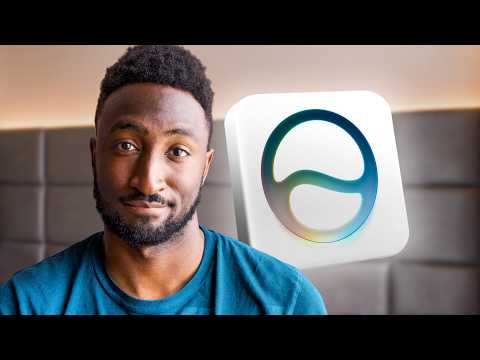
“And the cynical read is also get your kid an iPhone. You remember get your mom an iPhone? Now it’s, it’s also get your kid an iPhone, because trust us, it’s the best one.” — Marques Brownlee, 3:55
Clip command
yt-dlp --download-sections "*3:55-4:46" "https://www.youtube.com/watch?v=_gCXmKjDecU" --force-keyframes-at-cuts --merge-output-format mp4 -o "get-your-kid-an-iphone.mp4"”The new Siri is exactly what we were expecting”
“And I would say the new Siri is exactly what we were expecting. Like in terms of capability, pretty much straight down Broadway, like no dramatic surprises, nothing that they announced that made us go, ‘Oh my god, that’s crazy.’ No letdowns either, which is great.” — Marques Brownlee, 4:46
Clip command
yt-dlp --download-sections "*4:46-5:53" "https://www.youtube.com/watch?v=_gCXmKjDecU" --force-keyframes-at-cuts --merge-output-format mp4 -o "new-siri-exactly-as-expected.mp4"”This Apple one is just going to stop short and add it to your calendar”
“But this Apple one is just going to stop short and it’s just going to add it to your calendar. Just do the safe thing.” — Marques Brownlee, 7:23
Clip command
yt-dlp --download-sections "*7:23-7:55" "https://www.youtube.com/watch?v=_gCXmKjDecU" --force-keyframes-at-cuts --merge-output-format mp4 -o "apple-plays-it-safe.mp4"”The most disappointing slide from the whole keynote”
“So yeah, the only iPhones that will run it are the iPhone Air and 17 Pro. It’s because those are the ones with 12 gigs of RAM. Kind of hilarious considering the iPhone 16 was built from the ground up for Apple Intelligence and is already outdated before that stuff is even coming out.” — Marques Brownlee, 10:13
Clip command
yt-dlp --download-sections "*10:13-10:45" "https://www.youtube.com/watch?v=_gCXmKjDecU" --force-keyframes-at-cuts --merge-output-format mp4 -o "most-disappointing-slide.mp4"”When the walls of that walled garden are golden gates”
“The irony is not lost on me that they named the newest version of macOS Golden Gate because when the walls of that walled garden are golden gates it’s like maybe it’s not so bad in there anyway, right?” — Marques Brownlee, 14:12
Clip command
yt-dlp --download-sections "*14:12-14:51" "https://www.youtube.com/watch?v=_gCXmKjDecU" --force-keyframes-at-cuts --merge-output-format mp4 -o "golden-gate-walled-garden.mp4"”Tell me you have a foldable coming without telling me you have a foldable coming”
“What kind of device would have multiple aspect ratios that you need your your app to uh ah right. Tell me you have a foldable coming without telling me you have a foldable coming.” — Marques Brownlee, 14:51
Clip command
yt-dlp --download-sections "*14:40-15:23" "https://www.youtube.com/watch?v=_gCXmKjDecU" --force-keyframes-at-cuts --merge-output-format mp4 -o "foldable-tease.mp4"Key Points
- Keynote structure (0:26) - Apple breezed through OS updates quickly, then focused on two main topics: trust and safety for kids, and Apple Intelligence with the new Siri
- A cleanup year instead of a flashy one (0:41) - Rather than new feature after new feature, the update combs through neglected details after liquid glass releases that “felt a little sloppy sometimes”
- macOS is now Golden Gate (1:17) - iOS 27, iPadOS 27, watchOS, tvOS, and macOS mostly look the same but get under-the-hood improvements
- Quality-of-life fixes (1:34) - Smoother animations, faster app opening, tweaked app icons, matching corner radiuses, sidebar icon colors back, and a liquid glass transparency slider
- 80% faster AirDrop and better Spotlight (1:54) - Sounds amazing, “as long as you can also make AirDrop work more of the time”
- Vision Pro panorama environments (2:18) - Your own panorama shots can now be immersive environments, not just Apple’s Mars/Yosemite/Mount Hood set
- Custom EQ for AirPods, finally (2:33) - The world’s most popular earbuds catch up to a feature everyone else has had for years
- Child accounts and granular screen time (3:25) - Parents control app downloads, websites, and contacts, with schedulers for when app categories are allowed
- The iPhone pipeline strategy (4:21) - The best parental controls mean the youngest possible iPhone users, which means more iPhone users in adult life
- How the new Siri works (5:11) - Double tap at the bottom or hold the power button, a new expressive voice, conversational chat with cited world knowledge, and history synced in a new Siri app across the ecosystem
- Apple’s classic ecosystem play (6:00) - ChatGPT, Gemini, and Claude are good at other things, but Siri is the one that indexes everything actually on your iPhone
- Live demos as a trust signal (6:51) - A keynote full of live demos read as “we learned our lesson from last time” after the previous Siri debacle
- Deliberately not agentic (7:23) - Unlike Google’s Gemini buying concert tickets from a poster photo at I/O, Siri stops short and just adds the event to your calendar
- Third-party apps need App Intents (9:00) - Siri defaults to Apple apps but can be summoned into Spotify, Pocket Casts, or others if the developer enabled App Intents and you name the app
- Newest on-device models are iPhone Air and 17 Pro only (10:13) - The 12GB RAM requirement leaves the iPhone 16 behind; other iPhones miss only the new voice and updated dictation
- Siri as a floating orb in Vision Pro (10:45) - Eye tracking means you just look at the orb and talk, and it can answer about windows or real objects around you
- Natural-language Safari extensions and Siri Shortcuts (11:15) - Describe an extension or shortcut and it builds it, editable afterward — same as Google’s home automations move
- Photo extension and spatial reframing (12:13) - Extend image edges up to 25% and rotate perspective with AI-inferred depth, the closest Apple has come to bending what a photo is
- Cloud features are metered through iCloud (13:12) - The powerful cloud model features have daily limits unless you upgrade your iCloud subscription
- The agentic Passwords app (13:22) - It finds weak or compromised passwords, logs into the site, changes them for you, and locks you further into the ecosystem
- No HomePod mention at all (14:30) - The little Siri box with nice speakers went entirely unacknowledged the whole event
- The foldable tease (14:40) - New developer tools for apps that resize to different aspect ratios strongly hint at a foldable iPhone
Mentions
Companies
- Apple (0:10) - WWDC 2026 host; the entire video covers its OS, safety, and AI announcements
- Google (7:23) - Its agentic Gemini demos at I/O are the contrast to Apple’s safer approach; also copied on the describe-an-automation feature (11:15)
- OpenAI / ChatGPT (5:53) - One of the rival AI apps people already have on their phones
- Anthropic / Claude (6:00) - Another rival assistant that can’t pull from your Apple Calendar
- Spotify (9:00) - Example of a third-party app Siri can hand actions to when named
- Ridge (15:05) - Video sponsor with a Father’s Day promotion
Products & Technologies
- iOS 27 / iPadOS 27 / watchOS / tvOS / macOS Golden Gate (1:17) - This year’s OS lineup, mostly visual continuity with under-the-hood improvements
- Liquid glass (1:41) - Gets a transparency/tint slider; the design language blamed for recent sloppiness
- AirDrop (1:54) - 80% faster, per the keynote slide
- Spotlight (1:54) - More complete and thorough indexing
- Vision Pro (2:18) - Personal panoramas as environments; Siri appears as a look-to-activate floating orb (10:45)
- AirPods (2:33) - Custom EQ arrives at last
- Siri / Apple Intelligence (4:46) - The keynote centerpiece: conversational, source-citing, on-device-context assistant with a new Siri app
- Gemini (7:23) - Google’s assistant whose agentic ticket-buying demo raised Marques’s hallucination concerns
- App Intents (9:00) - The developer mechanism that lets Siri act inside third-party apps
- WhatsApp (8:39) - The open question of whether Siri can pull from its conversations
- TickTick (9:51) - Marques’s task app of choice, a test case for third-party Siri actions
- Pocket Casts / Apple Podcasts (9:00) - The podcast-player example of default versus summoned third-party apps
- iPhone Air / iPhone 17 Pro / iPhone 16 (10:13) - Only the 12GB RAM phones run the newest on-device models; the 16 is already outdated
- Galaxy XR / Circle to Search (10:45) - The Vision Pro orb’s look-and-ask trick recalls Google’s point-at-it search demo
- Safari (11:15) - AI tab grouping and natural-language extension building
- Apple Home (11:15) - Notification consolidation and searchable camera footage
- Passwords app (13:22) - Agentically changes weak passwords on websites for you
- HomePod (14:30) - Conspicuously absent from the entire event
- iCloud (13:12) - Subscription upgrades gate heavier use of cloud AI features
People
- Greg (9:00) - Hypothetical friend in the “remind me of that podcast Greg recommended” Siri example
Surprising Quotes
“They actually will let you make it even more clear, which I swear no one asked for, but yeah, there’s a slider there now.” — Marques Brownlee, 1:41
“80% faster AirDrops, which I saw that on the slide and I was like, that sounds amazing, as long as you can also make AirDrop work more of the time.” — Marques Brownlee, 1:54
“It’s kind of funny that through this whole keynote, there were a ton of live demos, almost as if to say, ‘Yeah, we know a lot of you are rightfully skeptical, and we learned our lesson from last time, so here we go, this time it’s definitely working for real, and we’re showing you exactly what it can do.’” — Marques Brownlee, 6:51
“The feature is it will be able to agentically go to that website, log in with your weak password, go through the menus and change it to a more secure password for you and then save and remember that secure password.” — Marques Brownlee, 13:22
“There there was no mention of the HomePod for the entire keynote, the entire event. You remember the HomePod? That little Siri box with nice speakers in it?” — Marques Brownlee, 14:30
Transcript
Marques Brownlee: 0:00 I was told to make my bed before making a hotel room video because it makes it feel more put together. So, all right. I am out here in California because today was Apple’s WWDC, their Worldwide Developer Conference 2026, and every year this is where we expect all the announcements for all their latest in software. iOS, macOS, watchOS, etc. And this year they did some of that. They did some of that, but they actually mostly breezed through that stuff pretty quick and then got down to like the two main new topics, which were trust and safety for kids and Apple Intelligence and the new Siri.
Marques Brownlee: 0:41 Now the breeze through updates part I actually liked because that was actually instead of being just like new feature, new feature, new feature, visual overhaul, liquid glass, all this fun random new stuff, it was actually a little bit more of a holistic like combing through some of the stuff that’s been needing attention that hasn’t been getting it lately, the smaller details. Because like a lot of the recent updates with liquid glass and and all these pretty visual dramatic updates have been, you know, I I think we’d be lying if we said they didn’t feel a little sloppy sometimes. We’ve all seen the stories about battery life going down or performance degradation getting kind of weird or just bugs here and there with things like readability.
Marques Brownlee: 1:17 So through all of their operating systems, iOS 27, iPadOS 27, watchOS, TVOS, and macOS, which the new one is now called Golden Gate, uh they’ll mostly look roughly the same. But they’ll have a lot of the under-the-hood stuff that’s actually improved. So things like smoothness of animations, apps opening faster. And they dropped some other bangers like tweaked app icons and matching corner radiuses. Sidebar icons getting their color back. And adding a slider now for how transparent or tinted you want liquid glass to actually be. They actually will let you make it even more clear, which I swear no one asked for, but yeah, there’s a slider there now.
Marques Brownlee: 1:54 But yeah, faster app launching, more smooth system animations, more complete and thorough indexing for spotlight. 80% faster AirDrops, which I saw that on the slide and I was like, that sounds amazing, as long as you can also make AirDrop work more of the time. I think it’s the attention to detail stuff like that that we should see improvements with.
Marques Brownlee: 2:18 Some other highlights, Vision Pro. You’ll be able to use panorama shots you’ve taken now as environments. So before it was just like the handful of Apple-provided ones like Mars, I think it was, and Yosemite and Mount Hood, etc. Now you can have your own, finally. And my personal favorite that they did add, custom EQ for AirPods. Which okay, great, finally, I’ll take it. It feels like this is a grab bag of things that they kind of wanted to throw in to make sure they had some real stuff to announce because it was mostly the AI.
Marques Brownlee: 2:51 But if that means we get EQ finally in the world’s most popular earbuds when everyone else has had it for years, then I’ll take it. So good stuff, much needed in my opinion. Lots of little details. And I’m sure we’ll find much more stuff when we actually use these that weren’t announced in the keynote. Plan on downloading these betas and getting to test them and reviewing them, of course. So make sure you get subscribed here to see those reviews first when they do come out. So then they got to trust and safety.
Marques Brownlee: 3:10 This was the whole middle section of the keynote and it was basically them going down this rabbit hole, I guess you could say, of trying to tell people that the best experience that your kids can have is with their own device that is controlled by their parents. You can probably see where this is going. So they talked through a ton of child safety features. Stuff like a dedicated child account so that the parent account can control which apps they can download and which websites they’re allowed to visit and who they’re allowed to talk to. Obvious stuff. There’s new more granular screen time features, so you can see how they spent their day and then use a scheduler to adjust when they’re allowed to spend more or less time in certain types of apps. Like obviously watching a movie on the weekend is cool, but scrolling Instagram for three hours when they’re supposed to be in school, well that’s a no-go.
Marques Brownlee: 3:55 So the upside here is obviously much better safety and controls for parents that directly addresses the concerns that they might have had about the websites and the content and the apps that their kids have had access to. And the cynical read is also get your kid an iPhone. You remember get your mom an iPhone? Now it’s, it’s also get your kid an iPhone, because trust us, it’s the best one. Like we’ve talked about this before, we already know how dominant Apple is with iPhones, especially with younger people in the US, and getting them on an iPhone as young as possible makes them much more likely to have an iPhone and use it in their adult life. And so this is like the, the lowest common denominator version of that, which is the best possible parental controls means the youngest possible iPhone users, which means more iPhones in the future. Yeah, makes sense.
Marques Brownlee: 4:46 But the big thing we all expected them to talk about here, which they finally got to, was the new Apple Intelligence and the new Siri. And they did. They got to all of that. And I would say the new Siri is exactly what we were expecting. Like in terms of capability, pretty much straight down Broadway, like no dramatic surprises, nothing that they announced that made us go, ‘Oh my god, that’s crazy.’ No letdowns either, which is great. But yeah, it’s about what we expected.
Marques Brownlee: 5:11 The basics are you’ll now be able to trigger the new Siri on the iPhone by either double tapping at the bottom or holding down that power button while you talk to it. It has this slightly new animation and this general new look plus a new more expressive voice. And then it launches you into a conversational chat that pulls from Apple’s new broad world knowledge base, cites its sources when it has some of those, and lets you click through to that, which I tried. That is nice. And then it syncs your conversation history inside a new Siri app and that syncs across your whole ecosystem, so your Mac, your iPad, your iPhone. It doesn’t remember every single thing you ask Siri, but it definitely saves the more interesting conversational things it thinks you might want to come back to.
Marques Brownlee: 5:53 So here’s the angle. Here’s the thing, right? We already know people have lots of other great AI models to choose from. People have the ChatGPT app on their phones… on, they have Gemini, they have Claude already. The way that Apple every single time, the way Apple jumps into a new product category, which I think this is, is they make it the best one to work with the iPhone. So Claude and Gemini and GPT are really good at other things, but Apple’s Siri is going to be the one that can plug into all of the knowledge of what it has on your device, indexing everything that’s actually on your iPhone.
Marques Brownlee: 6:26 Now, I am planning on doing an entire separate video, like I said, reviewing this, demoing it, showing exactly what it’s capable of because it does have some quirks already, some interesting things that it is not doing that I expected, like showing the transcription as you’re talking instead of when you’re done. Little stuff like that. Again, stay tuned for the full review. But I think they just basically played it extremely safe. They did the stuff that you’d expect Apple to do and nothing more. It’s kind of funny that through this whole keynote, there were a ton of live demos, almost as if to say, ‘Yeah, we know a lot of you are rightfully skeptical, and we learned our lesson from last time, so here we go, this time it’s definitely working for real, and we’re showing you exactly what it can do.’
Marques Brownlee: 7:05 So yeah, what can it do? It can look through your messages, through your photos, your calendar, and pull answers to questions from that stuff. And it can take actions inside these apps. So it can send messages, add stuff to your calendar, set reminders—all the most basic stuff.
Marques Brownlee: 7:23 And that’s why I say it’s like it’s about right, like it’s straight down the middle. It’s not going all the way to doing like this insane agentic stuff that Google was just showing on stage with Gemini just a couple weeks ago at IO. Like I had those concerns about asking Gemini to take a picture of a concert poster and then it buys tickets for you. Like, I don’t know, is it gonna get that right? Is it gonna spend too much money? Is it gonna get the right seats or the right dates? Is it gonna hallucinate something weird? I don’t know. But this Apple one is just going to stop short and it’s just going to add it to your calendar. Just do the safe thing.
Marques Brownlee: 7:55 But unlike the other stuff, it has the advantage of knowing what’s in your iPhone. So if you use an iPhone, GPT can’t pull from your messages, Claude can’t pull from your Apple calendar, Gemini doesn’t see this stuff. It’s Siri that will actually be most helpful with the context of, you know, all the personal information that never leaves your device. Siri can also pull from what’s on your screen, too. And they added a new camera mode literally inside the camera app that’s just an updated version of the visual intelligence stuff we’ve seen, so just definitely surfacing it to a lot more people this way. So you know, people are going to be taking pictures of stuff and then identifying it with visual intelligence. You could also see how this would be particularly useful if you were making smart glasses at some point.
Marques Brownlee: 8:39 But now my number one concern watching all of this was: what about third-party apps? Right? Like obviously, okay, it’s Siri, of course it should be able to pull conveniently from that iMessage conversation that I had, it knows my context. But what about that WhatsApp conversation that I had? Or what about pulling from my Google Calendar instead of my Apple calendar? What about sending something to, I don’t know, a separate notes app that I like to use instead of
Marques Brownlee: 9:00 Apple Notes, what about all that? And I plan on digging into this way more when I actually get my hands on with the OSs, but it seems like the answer is, as long as the developer has enabled like app intents and the App Store knows what type of app it is, then it can be summoned intentionally by the user. It doesn’t seem like it can be a default, but you can decide to use other apps if you tell it to do that. Like by default, if you ask it, ‘Hey Siri, remind me of like that podcast that Greg recommended me and play it,’ it will of course, if it’s an iMessage conversation, find it and then start playing it in Apple Podcasts. But if you don’t want to, you could say, ‘Play it in Spotify’ or ‘Pocket Casts,’ and then it would know that that’s also a podcast player and it would do the app stuff and do the same action in that app for you. So as long as you tell it you want to use a third-party app, you can.
Marques Brownlee: 9:51 But I definitely need to push this to see how far it goes. Like is it going to be able to do geofenced recurring tasks in TickTick, my app of choice, instead of Apple Reminders? Maybe, I don’t know. Is it going to be able to pull from WhatsApp group chats if it has like the same set of contacts as iMessage? TBD, we’ll see.
Marques Brownlee: 10:13 But here it is, here’s the most disappointing slide from the whole keynote. This is the list of every device that supports the newest, most powerful Siri on-device models. So yeah, the only iPhones that will run it are the iPhone Air and 17 Pro. It’s because those are the ones with 12 gigs of RAM. Kind of hilarious considering the iPhone 16 was built from the ground up for Apple Intelligence and is already outdated before that stuff is even coming out.
Marques Brownlee: 10:45 But I’m told that the only difference between the most advanced on-device models and the ones that all the other iPhones will be getting, like the 16, is the new Siri voice and the updated dictation features. Also, fun fact, in Vision Pro, Siri is just this little floating orb in your space, and when you want to activate it, you literally just look at the orb and start talking. And since there’s eye tracking, it knows and responds. Clever. So you can ask it about, you know, the windows you have open or even any of the objects around you in your real space. Reminds me a lot of Circle to Search on the Galaxy XR headset. Remember that demo? You could just sort of point at something and Google it in real life. Very useful.
Marques Brownlee: 11:15 But then there’s also some new Apple Intelligence things that they talked about that aren’t part of the new Siri. Like if you have a ton of Safari tabs open, it can automatically arrange them into groups for you based on topics and then automatically keep them sorted. And then you can also describe a Safari extension with natural language and it’ll just build it, which is really cool for especially things like the most ultra-niche thing that you want your web browser to do. Or even better, you can describe a Siri shortcut with natural language and it will build that Siri shortcut for you and let you edit it after the fact with the full-on editor. So this is a great way to make that sort of stuff much more accessible. Exact same thing Google just did with their home automations. Just describe the automation, it’ll build it, then you can edit it later. Speaking of home, the update where those like 15 notifications you might get in a row all get summarized…
Marques Brownlee: 12:00 and consolidated into one updating notification from Apple Home. Finally, that is long overdue and much welcome. Plus you can search through your footage to find clips of anything like a package delivery.
Marques Brownlee: 12:13 There’s also the new photo editing tools, which will now not just do cleanups, but it will also now offer to extend the outer edges of your image by up to 25%. And the demos I’ve seen seem to work really well extending in all directions. And it immediately makes me wonder if I can just take that finished image and then extend it again. And again, and again, I don’t know. How far can it go? And then there’s also spatial reframing, which is quite literally turning the image using what it can figure out with AI about depth to work out what should be in the new background with new perspective.
Marques Brownlee: 12:54 This is really the closest they’ve ever gotten to bending the definition of what is a photo. Very technically impressive party trick, but I think maybe still a party trick. It’s it’s weird. I don’t see people doing this a lot, but it is crazy if it works. This is also one of those things that they had to mention uh will have limited daily use if you want to update your total use because this uses their more powerful cloud models if you want more usage then you have to update your iCloud subscription to get more.
Marques Brownlee: 13:22 Oh and then maybe the most Apple thing ever is the new Passwords app. Will be able to identify first of all if you have a compromised password or a weak password and then the feature is it will be able to agentically go to that website, log in with your weak password, go through the menus and change it to a more secure password for you and then save and remember that secure password. Super, super clever. Very convenient. And that also basically means you’re locking yourself a little bit more into that Passwords app because that’s now the one that knows your new passwords. In fact that might have been the theme for this whole event.
Marques Brownlee: 14:12 The irony is not lost on me that they named the newest version of macOS Golden Gate because when the walls of that walled garden are golden gates it’s like maybe it’s not so bad in there anyway, right? Maybe if you use iMessage and Apple Calendar and Safari and all of their services it’s kind of nice. Unless unless you’re a HomePod user. There there was no mention of the HomePod for the entire keynote, the entire event. You remember the HomePod? That little Siri box with nice speakers in it?
Marques Brownlee: 14:40 Yeah I don’t know what’s going on with that one. Oh and then one more sneaky reference at the end so if you were still paying attention an hour in with like 10 minutes left in the keynote there was a slide they showed some new developer tools that would help you build your app to resize dynamically to different aspect ratios. Which is uh that’s interesting. What kind of device would have multiple aspect ratios that you need your your app to uh ah right. Tell me you have a foldable coming without telling me you have a foldable coming. Anyway, get subscribed for those full reviews and make sure to leave a comment
Marques Brownlee: 15:00 Hello if there’s something specific that you want to see tested when I get my hands on all that beta software.
Marques Brownlee: 15:05 And also make sure to get shopping for Father’s Day with the sponsor of this video, Ridge. So, so reminder, Father’s Day is coming up. It’s June 21st. And so Ridge is offering up to 40% off a whole bunch of the stuff on their site which makes really great gifts. So since there’s so many good things, I’m just going to speedrun some of the very best ones.
Marques Brownlee: 15:23 So for dads, first off, there’s the Ridge Power Bank. Five-in-one charging, MagSafe, Apple Watch pad, USB Type-C and lightning cables all in one device. 10,000 milliamp-hour capacity with a kickstand, that’s enough to charge two iPhone 15 Pros and it’s the one charger that actually does it all. So then there’s one of my new favorite items, the tracker card which works with Apple’s Find My network. It’s IP67 rated and it has a battery that lasts up to five months and can be wirelessly charged. Also, it’s plenty loud when you need to find it.
Marques Brownlee: 15:52 And of course, wallets. So the new Heritage in oil waxed leather giving it an old-school look. Or if your dad loves the outdoors, these topographical wallets are inspired by real elevation maps of Yosemite and Yellowstone and the Great Smoky Mountains. Very clever. Use the link below ridge.com/mkbhd to get up to 40% off for your dad or for yourself. I’m not judging. And hey, if you get something and it’s not the right fit, they have a 99-day free return policy, no questions asked.
Marques Brownlee: 16:14 So that’s been it. Thank you for watching. I’ll look forward to your comments. Catch you guys in the next one. Peace.