Top 5 Android 17 Features: I Swear It's New!
Top 5 Android 17 Features: I Swear It’s New!
Summary
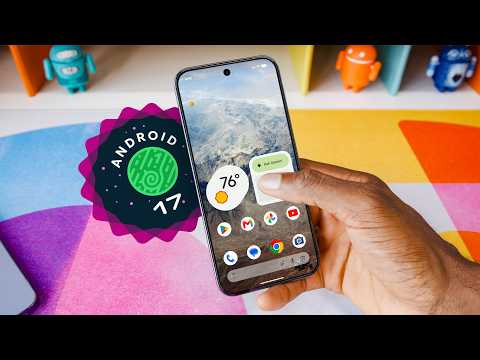
Marques Brownlee runs through his annual top-five features video for the new Android version — with the upfront admission that these releases aren’t massive generational overhauls anymore, but collections of small cosmetic tweaks and quality-of-life changes that “back in the day, that would have all been like a dot-one update.” The bigger hook is the name: Android 17 is Cinnamon Bun, and Marques is on a one-man campaign to bring the public dessert names back. He walks through the history — Cupcake, Donut, Eclair, Froyo, Gingerbread through Nougat, Oreo, and Pie — notes that Google quietly kept the internal codenames going (Red Velvet Cake, Snow Cone, Tiramisu, Upside Down Cake, Vanilla Ice Cream), and points out the proof that somebody at Google still cares: the system notification glyph in Android 17 is a little cinnamon bun.
The countdown itself: number five is built-in screen reactions — screen recording now has a “show selfie camera” option that keys you in live over the recording. Number four is a game mode for foldables that turns half the screen into the game and the other half into an on-screen gamepad. Number three is the bubble bar, which lets any app launch into a floating window that minimizes into a bubble, with up to four bubbles open at once as a multitasking hub. Number two is a grab bag of aesthetic tweaks: hideable app labels in the stock launcher, tighter spacing in settings, more transparency in the widget picker, per-app dark mode control, and a “You’re all caught up” trophy when you clear your notifications. Number one — “Thank God” — is Google finally separating the Wi-Fi and mobile data toggles in quick settings after years of the merged internet toggle.
Along the way there’s the new Easter egg (a constellation puzzle that looks complicated but connects in literally any pattern, leading to the returning Asteroids mini-game), a newly customizable permanent search bar on the home screen, and a look ahead at natural-language widget creation, the Rambler speech-to-text upgrade, and the Pause Point digital wellbeing tool. Marques closes by admitting the release makes him want to switch back to the Pixel — before remembering the pain that can turn into — and once again hoping Tensor takes a massive leap forward, though “I’ve been hurt before, so I’m not going to cross my fingers.”
Highlights
”They heard us, they listened to us” — Wi-Fi and mobile data toggles are separate again
“Thank God. I don’t know why, but a couple years ago they decided for some reason to merge them together into one internet toggle that you had to click into and then click again to toggle either Wi-Fi or mobile data. So finally in Android 17, they heard us, they listened to us and they separated back out a Wi-Fi toggle and a mobile data toggle in quick settings.” — Marques Brownlee, 6:00
Clip command
yt-dlp --download-sections "*6:00-6:47" "https://www.youtube.com/watch?v=QrT4S9i3agE" --force-keyframes-at-cuts --merge-output-format mp4 -o "wifi-data-toggles-separated.mp4"”Bring back the public dessert names, Google”
“And so sure enough, if you get any system notification in Android 17, there’s a little cinnamon bun. Proof that somebody at Google still cares about this. Bring back the public dessert names, Google. It’s more fun this way.” — Marques Brownlee, 1:50
Clip command
yt-dlp --download-sections "*1:50-2:24" "https://www.youtube.com/watch?v=QrT4S9i3agE" --force-keyframes-at-cuts --merge-output-format mp4 -o "bring-back-dessert-names.mp4"The bubble bar: a multitasking hub of floating apps
“What’s new is the ability to have up to four bubbles open at once of different apps and then kind of treat it like a multitasking hub over the top of whatever else is going on in the background. But this bubble bar can be very useful. Imagine taking notes over the top of a YouTube video playing.” — Marques Brownlee, 3:00
Clip command
yt-dlp --download-sections "*3:00-3:43" "https://www.youtube.com/watch?v=QrT4S9i3agE" --force-keyframes-at-cuts --merge-output-format mp4 -o "android-17-bubble-bar.mp4"Half game, half gamepad: the new foldable game mode
“So on Pixel Fold and Z Fold and all these other foldables that get Android 17, you’ll be able to play games where half the screen is the game and the other half is an on-screen gamepad.” — Marques Brownlee, 2:40
Clip command
yt-dlp --download-sections "*2:40-3:43" "https://www.youtube.com/watch?v=QrT4S9i3agE" --force-keyframes-at-cuts --merge-output-format mp4 -o "foldable-game-mode.mp4"The “incredibly complicated” Easter egg that isn’t
“And I stared at this for hours trying to figure out what does it mean, what types of symbols do I have to draw here, what sort of patterns are going to make this work, and uh no just kidding, you basically just connect them all together in literally any way and then the Android 17 logo pops up.” — Marques Brownlee, 5:26
Clip command
yt-dlp --download-sections "*5:26-5:53" "https://www.youtube.com/watch?v=QrT4S9i3agE" --force-keyframes-at-cuts --merge-output-format mp4 -o "android-17-easter-egg.mp4"Key Points
- The annual top-five format (0:00) - What’s coming to your phone: “if it’s a pixel, very soon, if it’s not a pixel, someday”
- No more generational overhauls (0:13) - Modern Android updates are cosmetic tweaks and quality-of-life changes that would once have been a dot-one release
- Android 17: Cinnamon Bun (0:30) - The names aren’t officially back, but Marques is trying to bring them back
- Dessert-name history lesson (0:54) - Cupcake, Donut, Eclair, Froyo, Gingerbread, then increasingly playful: Nougat, Oreo, Pie — until Q killed the streak
- Google kept the codenames internally (1:22) - Red Velvet Cake, Snow Cone, Tiramisu, Upside Down Cake, Vanilla Ice Cream — then a skip to Cinnamon Bun
- The cinnamon bun notification glyph (1:50) - System notifications in Android 17 carry a tiny cinnamon bun icon (Android 16’s was Baklava)
- #5: Built-in screen reactions (2:06) - Screen recording gains a “show selfie camera” option that keys you in live, movable and resizable
- #4: Game mode for foldables (2:40) - On Pixel Fold, Z Fold, and other foldables: game on one half, on-screen gamepad on the other
- #3: The bubble bar (3:00) - Any app can launch into a floating window that minimizes into a bubble; up to four bubbles at once as a multitasking hub
- New screen recording UI (3:43) - The new pill at the top looks inspired by the bubble bar, even though it isn’t one of the bubbles
- #2: Aesthetic tweaks collection (3:58) - Not a liquid-glass-style overhaul, but thoughtful little refinements throughout
- Hide app labels in the stock launcher (4:17) - A super-clean home screen look Marques calls long overdue
- More transparency for consistency (4:38) - The widget picker joins the app drawer and quick settings in letting wallpaper peek through
- Per-app dark mode (4:58) - Choose exactly which apps open in the expanded dark mode theme instead of all-or-nothing
- “You’re all caught up” trophy (5:08) - Clearing notifications now earns a little trophy instead of Android 16’s plain “No notifications” text
- The constellation Easter egg (5:26) - Connect the stars in literally any pattern to reveal the logo, then hold for the returning Asteroids mini-game
- #1: Separate Wi-Fi and mobile data toggles (5:53) - The merged internet toggle is dead; tap the icon to toggle, tap the words for the full menu
- The search bar is finally customizable (6:47) - Long press the permanent home screen search button to change its transparency — previously only possible on a pointless second widget
- What’s still coming (7:26) - Natural-language widget creation, the Rambler speech-to-text upgrade, and the Pause Point digital wellbeing tool
- The perennial Pixel temptation (7:52) - Marques wants to switch again, and once more hopes Tensor takes a massive leap with the next Pixel generation
Mentions
Companies
- Google (1:22) - Kept internal dessert codenames alive after dropping the public names; credited throughout for listening to users
- Instagram (2:24) - Marques suspects reaction recording is already built into it, but Android’s version just made it easier
- TikTok (2:24) - Mentioned alongside Instagram as a likely home for built-in reaction video tools
- dbrand (8:08) - Video sponsor; Summer Sale with up to 60% off cases, screen protectors, and bundles
Products & Technologies
- Android 17 “Cinnamon Bun” (0:30) - The subject of the video; internal dessert codename surfaces in the notification glyph
- Android 16 “Baklava” (1:41) - The previous version, whose system notification glyph was meant to be baklava
- Pixel (1:59) - The device running the publicly available Android 17 for this review
- Pixel Fold (2:40) - One of the foldables getting the new split-screen game mode
- Samsung Z Fold (2:40) - Also in line for the foldable game mode
- Bubble bar (3:00) - New multitasking hub of up to four floating app bubbles
- Gemini (3:00) - Referenced as the thing most people use to summarize instead of taking notes
- Rambler (7:26) - Upcoming improved speech-to-text announced at IO
- Pause Point (7:26) - Upcoming digital wellbeing tool
- Tensor (7:52) - Marques hopes for a massive leap with the next Pixel generation, but has been hurt before
- dbrand Grip, Ghost, and Tank cases (8:08) - Sponsor products: grippy, guaranteed-never-to-yellow, and rugged respectively
- Steam Machine companion cube (9:00) - The sale’s joke item: “0 dollars off”
People
- Marques Brownlee (0:00) - Host; no other individuals are mentioned by name in this video
Surprising Quotes
“Back in the day, that would have all been like a dot-one update. But since it’s 2026, it’s an entirely new Android version, Android 17: Cinnamon Bun.” — Marques Brownlee, 0:13 and 0:30
“I imagine I’m not the only freak that actually writes notes instead of having like Gemini summarize everything for me cause the bubble bar seems perfect for that.” — Marques Brownlee, 3:00
“Why would anyone add a second search widget? Why can’t you customize the first one that you can’t get rid of? Well in Android 17, now you long press it and you actually can.” — Marques Brownlee, 6:47
“Stuff like this makes me want to switch to the Pixel again and take the plunge before I come back to my senses and remember the type of pain that that can turn into.” — Marques Brownlee, 7:52
“I am once again hoping for Tensor to take a massive leap forward with the next generation of Pixel phones, but I’ve been hurt before, so I’m not going to cross my fingers.” — Marques Brownlee, 7:52
Transcript
Marques Brownlee: 0:00 All right, so I do one of these videos for every new Android version. Top five features for what to expect, so you have a better idea of what will be coming to your phone, if it’s a pixel, very soon, if it’s not a pixel, someday. But we all know these aren’t massive generational overhaul updates anymore. Those days are few and far between. Instead, now it’s more usually like the small cosmetic stuff and little tweaks and quality of life things here and there. Back in the day, that would have all been like a dot-one update. But since it’s 2026, it’s an entirely new Android version, Android 17: Cinnamon Bun.
Marques Brownlee: 0:38 Now, I know what you’re thinking. Hold on a second, wait. What? Did the, did the names come back? When did the names come back? The names aren’t back, but I’m trying to bring them back. Do you remember when every new Android version was named after an alphabetical dessert and the biggest surprise of every IO was going to be them unveiling what the dessert name would be? I mean, we had classics like Cupcake, Donut, Eclair, Froyo, Gingerbread. And then as the letters went on, they got more and more playful with it: Nougat, Oreo, Pie. But then they got to Q, and so, you know, I could understand not coming up with a dessert name just for Q. But then after that, they just went straight to the numbers. They stopped the names, they just went Android 13, Android 14, Android 15.
Marques Brownlee: 1:22 But internally, Google has actually kept doing the internal dessert code names, and you can look on the Wikipedia, you can see after Q, there was Red Velvet Cake, Snow Cone, Tiramisu, Upside Down Cake, Vanilla Ice Cream. And then I guess they just skipped W, X, Y, Z and A for some reason, and now here we are at Cinnamon Bun. Android 16 was Baklava, so actually if you get any system notification, that’s what this little glyph here was meant to be. And so sure enough, if you get any system notification in Android 17, there’s a little cinnamon bun. Proof that somebody at Google still cares about this. Bring back the public dessert names, Google. It’s more fun this way.
Marques Brownlee: 1:59 Anyway, these are my top five features on the publicly available Android 17 on my pixel, in my order. So number five: screen reactions are a built-in feature now. You go in and start a screen recording, and now you can just tick the show selfie camera option and you get live keyed-in a version of yourself that you can move around and make bigger, smaller, and then record on the spot, which is very convenient. Now, I’ll be honest, I never made these types of videos, so I don’t know if this is sherlocking some other big app people were all using to do this, or if they’ve actually built it into Instagram or TikTok at this point, I’m sure they did. But hey, it just got that much easier, so nicely done, Google.
Marques Brownlee: 2:40 Now number four is very cool. It’s the new game mode on foldables. So on Pixel Fold and Z Fold and all these other foldables that get Android 17, you’ll be able to play games where half the screen is the game and the other half is an on-screen gamepad. And I’m not even that much of a phone gamer, but that is really cool, not gonna lie.
Marques Brownlee: 2:58 Now number three is the bubbles and the bubble bar. And I really like saying bubble bar, sorry. I’m gonna say it a lot but the bubble bar is new. So basically any app you can now launch straight into a floating window that can minimize into a bubble at any time. This actually itself isn’t new you could do this with some messaging related apps for a while, but what’s new is the ability to have up to four bubbles open at once of different apps and then kind of treat it like a multitasking hub over the top of whatever else is going on in the background. But this bubble bar can be very useful. Imagine taking notes over the top of a YouTube video playing. I imagine I’m not the only freak that actually writes notes instead of having like Gemini summarize everything for me cause the bubble bar seems perfect for that. Anyway, separate but related feature, the new screen recording UI, I think kind of looks like it was inspired by the bubble bar. With the new pill at the top. It’s not actually one of the bubbles but does feel thematically in line. Makes you think.
Marques Brownlee: 3:58 So then number two is this whole collection of what I’m going to call aesthetic tweaks. And again it’s not some big overhaul this isn’t like a new liquid glass or anything crazy like that, but it is a good collection of things where it feels like somebody is going through and being very thoughtful about little things that could be better or that should be a little different. Like I like that you can hide app labels now on the home screen for a super clean look in the stock launcher. I feel like that’s long overdue. I also like that there’s a bit less empty white space between options in some of the more buried settings. Like that’s a subtle thing but it’s nicely considered. It was getting to be a little bit much before.
Marques Brownlee: 4:38 And then there’s actually a little bit of transparency added here now. Not full on liquid glass levels again but just more adding it to more places for consistency. So the app drawer already had it, the quick settings already had it, now the widget picker has it as well so you can see a little bit of that wallpaper peaking through there as you pick your widgets. You can choose exactly which apps automatically open in the expanded dark mode theme now instead of just everything, you can have certain apps that always come up in dark mode. And then it’s such a small thing but when you finish going through notifications in Android 16 it would just have a little text that says, No notifications. In Android 17 it says, You’re all caught up and gives you a nice little trophy, which is nice.
Marques Brownlee: 5:26 Now before we get to number one I of course need to show you the new Android 17 Easter egg which this year is an incredibly complicated puzzle. So you do the classic five taps on Android 17 and then it takes you into this weird constellation type thing with a ring of stars. And I stared at this for hours trying to figure out what does it mean, what types of symbols do I have to draw here, what sort of patterns are going to make this work, and uh no just kidding, you basically just connect them all together in literally any way and then the Android 17 logo pops up. And then you hold that down for a few seconds to get into the same Easter egg as previous years which is this little Asteroids game where you pilot this little spaceship around. It’s a fun time.
Marques Brownlee: 5:53 So then, the number one feature of Android 17 is that they’ve finally separated the Wi-Fi and mobile data toggles in quick settings. Thank God. I don’t know why, but a couple years ago they decided for some reason to merge them together into one internet toggle that you had to click into and then click again to toggle either Wi-Fi or mobile data. So finally in Android 17, they heard us, they listened to us and they separated back out a Wi-Fi toggle and a mobile data toggle in quick settings. You can tap just the icon to turn it on or off or tap the words to enter that full menu and connect to different networks. It’s about damn time they brought this back. Now obviously this isn’t the number one biggest change to Android 17, but it does feel like it’s part of a nice theme of Google actually listening to users and just making little tweak type things at the surface level that make Android nicer to use.
Marques Brownlee: 6:47 Like here’s another one. In Android 16, there’s a permanent search button on the bottom of your home screen. You can’t get rid of it. Now they had this cool customization that let you change transparency and theme color of the widget, but that was only if you added a second search widget to your home screen, it would customize that one, which makes no sense. Why would anyone add a second search widget? Why can’t you customize the first one that you can’t get rid of? Well in Android 17, now you long press it and you actually can. You can change the transparency and customize that first one straight away. Still can’t remove it, but that’s better than nothing.
Marques Brownlee: 7:26 And so there’s so many other little things like that. There’s slightly bouncier, more exaggerated animations in quick settings and in multitasking and big little performance tweaks here and there throughout. There’s also more stuff coming too, like the ability to make new widgets from scratch using natural language when they add that, that’s going to be sick, I think. And Rambler, which they talked about at IO, which is going to be even better speech to text and Pause Point as well, which is another digital wellbeing tool. Stuff like this makes me want to switch to the Pixel again and take the plunge before I come back to my senses and remember the type of pain that that can turn into. I am once again hoping for Tensor to take a massive leap forward with the next generation of Pixel phones, but I’ve been hurt before, so I’m not going to cross my fingers.
Marques Brownlee: 8:08 Anyway, if you just got Android 17 to update the inside of your Pixel, then it might be time to do the same with the outside, which leads to today’s sponsor dbrand. Their summer sale just went live and you can get up to 60% off various things and a ton of other deals. Starting with the cases, they’re all $10 off, no code required. The Grip is, as you can imagine, super grippy and customizable with a ton of different skins. The Ghost case is literally guaranteed to never yellow or they’ll replace it for free. And the Tank is the rugged one you’ll either love or hate. But the real deal is when you bundle it with one of their idiot-proof screen protectors, their words not mine, to get $20 off the entire bundle. I’ve been using one since they first got released. You can barely tell it’s on there, but a big part of that is just how easy it is to install. Takes like 10 seconds and it also comes with two in the box. And if you spend more than 50 bucks, they’ll toss in a deck of dbrand-themed playing cards for free. And there’s a ton of other deals going on. on a site right now like 55 bucks off the Killswitch and I kid you not 0 dollars off the new Steam machine companion cube.
Marques Brownlee: 9:10 It’s classic. I’ll leave a link down in the description so you can check everything out for yourself. Thanks for watching and I’ll cinnamon bun you later. Peace.